Meeting recordings · How-to guide
How to Generate Action Items from Meeting Recordings
Replaying an entire recording to find who said what and who owns which task takes longer than the meeting itself. This guide shows four methods for extracting action items from a meeting recording and explains where each one breaks down before the list ever reaches your team.
 Best for structured action items with named owners
Quick answer
4 steps to generate action items from a meeting recording
Recording quality sets a ceiling on what action items you can extract. The tool you use determines whether attribution happens automatically or manually.
1. Record the meeting with participant consent and clear audio
Ask all participants for their consent before recording any meeting. Record from a central position or use a device with a wide pickup range. Audio quality at this step determines how accurately the transcript captures each speaker.
2. Transcribe the recording automatically
Use a tool that converts speech to text without manual upload. The transcription step is where most workflows stall. A device that syncs directly to a transcription app removes this bottleneck.
3. Apply a structured meeting template
A raw transcript does not contain action items. Apply a meeting summary template that forces the output into decisions, action items, and owners. Generic bullet lists skip the owner field and are rarely acted on.
4. Review attribution and share with the team
Verify that each action item has a named owner and a clear next step. Send the structured list to your team within the same session so nothing relies on memory.
Methods
Four ways to generate action items from a meeting recording
Compared on manual effort required, whether action item attribution is generated automatically, how long it takes to go from recording to shareable list, and whether the method works for in-person meetings.
Manual replay and note-taking
Listen back to the full recording, write down each decision and task by hand, then format and distribute the list. No tool is required but the time cost scales directly with recording length.
Upload to AI summarizer (ChatGPT, Otter.ai)
Export the audio or transcript, upload it to an AI tool, and prompt for action items. Output quality depends on transcript accuracy and the prompt you write.
Meeting bot (Fireflies, Otter Teams)
A bot joins the meeting link automatically and records the session. After the call it generates a summary with action items. Requires calendar access and an active video meeting link.
AI recorder (Plaud Note Pro with Plaud Intelligence)
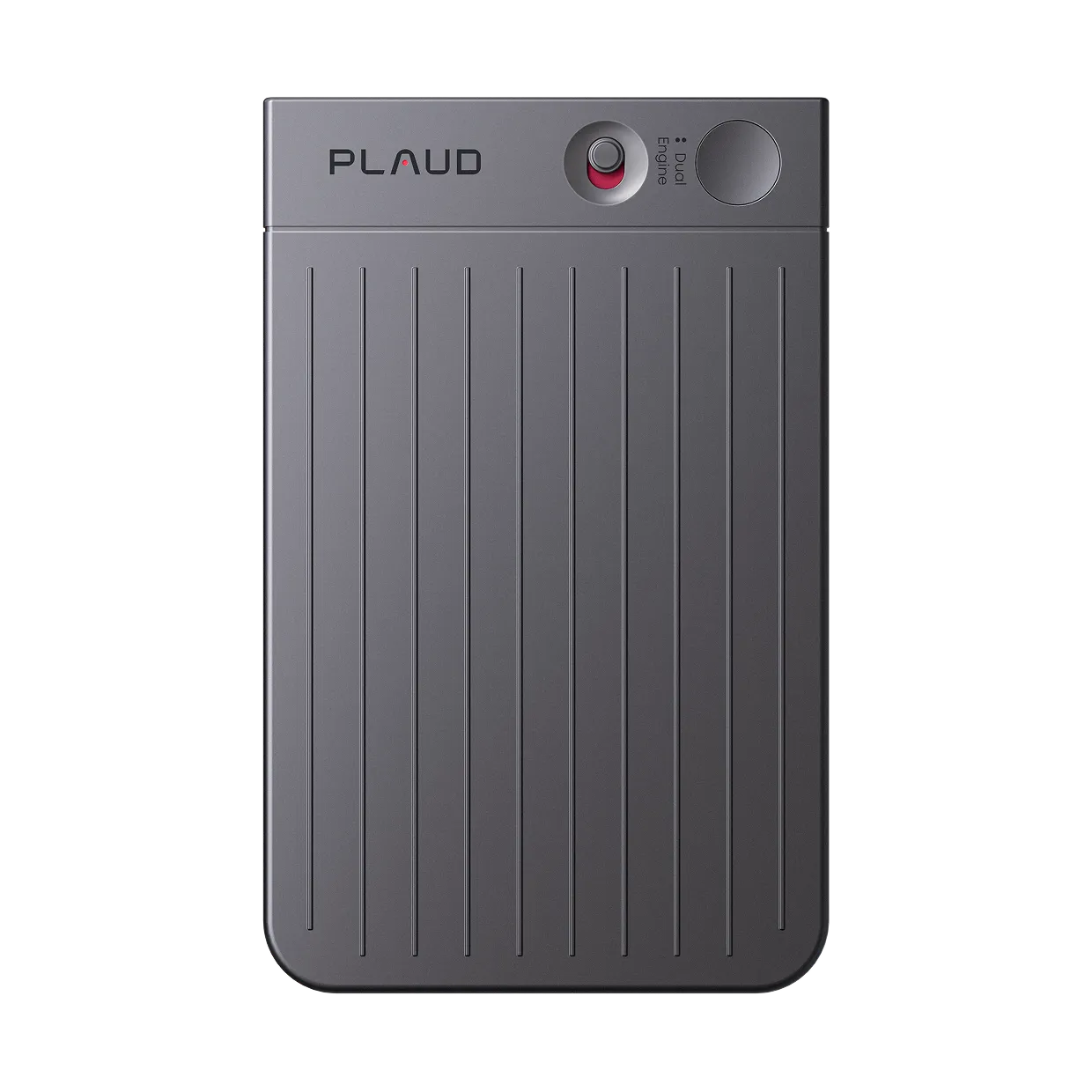
Plaud Note Pro records through four MEMS mics with AI beamforming. The Plaud App syncs on open and Plaud Intelligence applies a meeting template with action items, decisions, and owners extracted automatically. Always record with participant consent.
Based on common meeting workflows and Plaud product data. Always obtain consent from all participants and follow local recording laws before recording any conversation.
Tips
Most recordings produce audio. Getting a structured action list from that audio takes another step most teams skip.
Four things determine whether a recording produces usable action items. Owner attribution comes first. Without a named owner, a task is a suggestion. Transcript quality, processing speed, and meeting format coverage each decide whether the list reaches the team or gets abandoned after the recording ends.
The easier way
How Plaud Note Pro turns a meeting recording into action items
Plaud Note Pro records through four MEMS mics with AI beamforming and a pickup range of up to 5 meters. The Plaud App syncs on open and Plaud Intelligence applies a meeting summary template automatically. Over 10,000 templates cover meeting types, project reviews, client calls, and more. You get a structured list of action items with named owners minutes after the meeting ends. Always obtain consent from all participants before recording any session.
- No manual replay neededManual replay takes four to six times the length of the recording. Plaud Intelligence extracts action items, decisions, and owners from the transcript automatically so no one has to replay the audio.
- Works for in-person meetingsMeeting bots miss every in-person session. Plaud Note Pro records any meeting regardless of format, from a boardroom to a client site, in up to 112 languages.
- Owner attribution built inGeneric summaries skip the owner field. Plaud Intelligence assigns each action item to the speaker who committed to it, so the list is ready to share without a manual attribution pass.

Plaud Note Pro
A physical AI note taker built for meeting recordings. Four MEMS mics with AI beamforming. Structured action items with named owners generated automatically.
Plaud Note Pro vs Plaud NotePin S
Plaud Note Pro for meeting rooms, phone calls, and hybrid sessions where a 5-meter pickup range covers the full table. Plaud NotePin S for in-person meetings where a wearable device keeps the mic close to speakers throughout the session.
Plaud Note Pro
A physical AI note taker built for meeting recordings. Four MEMS mics with AI beamforming. Structured action items with named owners generated automatically.
- 4 MEMS mics
- AI beamforming
- 10,000+ note templates
- Speaker diarization
- Up to 30 hours

Plaud NotePin S
Better for in-person meetings where a wearable device keeps the mic close to speakers. Plaud Intelligence AI notes are generated after each session.
- 17.4 g wearable
- Four wearing styles included
- Up to 20 hours
- Plaud Intelligence AI notes
Frequently asked questions
How do you generate action items from a meeting recording?
Transcribe the recording, then apply a meeting summary template that includes a dedicated action items section. Most transcription tools return raw text. Plaud Note Pro with Plaud Intelligence applies a structured template automatically. Each action item appears with a named owner extracted from the transcript. No manual replay required.
How do you generate a meeting summary?
Play back the recording or work from a transcript, then identify the main topics, key decisions, and follow-up tasks. AI tools can generate a summary from the transcript automatically. Plaud Intelligence applies a session-specific template from over 10,000 options and outputs decisions, action items, and owners in a structured format.
Can AI automatically extract action items from audio?
Yes. AI transcription tools can identify commitments, tasks, and owners from a meeting transcript. Accuracy depends on audio quality and whether the tool uses a structured output template. Plaud Intelligence applies a meeting template to the transcript and returns a formatted action items list with speaker attribution.
What information should a meeting action item include?
Each action item should include a clear task description, a named owner, and a target completion date. Items without an owner or deadline are rarely completed. Plaud Intelligence extracts the owner from speaker attribution in the transcript and formats each item for direct use in project tools.
Do I need consent before recording a meeting for action items?
Yes. Recording laws vary by country and state. In most jurisdictions, all participants must consent before a conversation is recorded. Always inform everyone in the meeting before you start recording and confirm they agree. Check local regulations if you are unsure which rules apply in your location.
Related articles
Related articles
More guides on turning meeting audio into actionable records.

How to write meeting minutes faster with AI
Meeting minutes take time. Here is how to generate a draft from a recording without manual reformatting.
Read more
Transcribe audio to text for meetings
The transcript is only the start. Here is how to turn meeting audio into a complete usable record.
Read more
How to take meeting notes
Clear meeting notes start with the right capture method. Here is how to build a reliable system.
Read more
How to transcribe meetings with speaker labels
A transcript without speaker labels is hard to act on. Here is how to get attribution built in from the recording.
Read more