
Meeting recording · How-to guide
How to Record Meetings with Multiple Speakers in Noisy Environments
Noise and distance compound each other. A phone mic placed at one end of a conference table misses the people at the far end, and background noise fills the gaps. This guide explains why that happens, compares four recording methods, and shows what to look for in a device that handles both problems at once.
 Best for multi-speaker group tables in noisy spaces
Quick answer
4 steps to record multiple speakers clearly in a noisy environment
Device choice and placement come first. Speaker separation and transcription quality follow from the audio captured at the source.
1. Confirm consent from all participants before recording
Always tell everyone in the room that the meeting will be recorded. Get explicit confirmation from each participant before you start. In many jurisdictions, recording a conversation is only legal when all parties have agreed in advance.
2. Choose a recording device with a pickup range that covers your table
A standard conference table runs 2 to 5 meters end to end. A phone mic reliably captures voices within about 1 meter. Choose a device with a stated pickup range that matches or exceeds your table length.
3. Place the device at the center of the table and start recording
Center placement gives each microphone the shortest average path to every speaker. Avoid corners and walls, which create reflections that confuse directional mic arrays.
4. Open the Plaud App after the meeting to review transcript and speaker labels
Plaud Intelligence assigns a label to each speaker and generates structured notes from the transcript. Review the speaker assignments and apply a meeting template before sharing the output.
Methods
Four ways to record a meeting with multiple speakers in a noisy environment
Compared on how well each method rejects background noise, how far it reliably picks up voices across a group table, whether it generates speaker labels automatically, and how much setup it requires before the meeting starts.
Phone mic or built-in laptop mic
The most common starting point. Captures everything within about 1 meter. Background noise competes directly with voices because there is no directional filtering. People more than 1 meter away are often inaudible in the transcript.
Omnidirectional desktop mic or speakerphone
Better volume than a phone mic. Still collects all sound in every direction, including HVAC noise, keyboard clicks, and hallway sounds. Speaker separation at distance remains weak.
Dedicated voice recorder without AI
Records with higher fidelity than a phone, but noise reduction is passive at best. Speaker identification requires manual annotation after the fact. Transcription is a separate step using a different tool.
AI recorder (Plaud Note Pro with Plaud Intelligence)
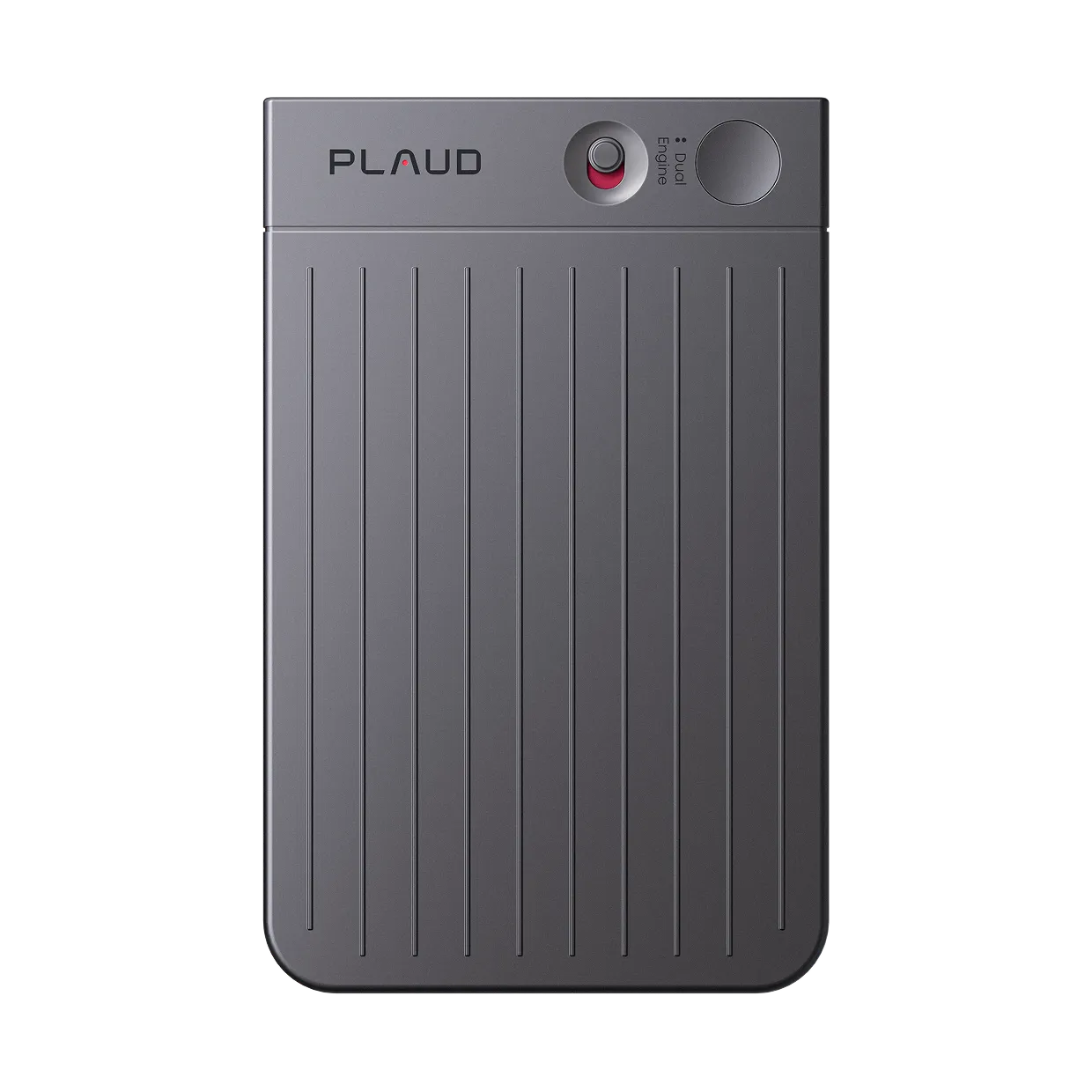
Plaud Note Pro uses four MEMS mics with AI beamforming to focus on the direction of each voice and reduce off-axis noise. The 5-meter pickup range covers full conference tables. Plaud Intelligence identifies speakers and generates structured notes automatically. Always record with participant consent.
Based on common meeting recording workflows and Plaud product data. Always obtain consent from all participants and follow your local recording laws before recording any meeting or conversation.
Tips
Noise enters the transcript before transcription even starts
Two problems combine in every noisy group meeting. Noise contaminates the audio file before any transcription tool sees it. Distance means some voices are too quiet to transcribe at all. The tools that fix these problems after the fact cannot recover what was never captured. Four standards determine whether you end up with a usable transcript.
The easier way
How Plaud Note Pro handles noise and distance at a group table
Plaud Note Pro uses four MEMS microphones with AI beamforming to focus on voices across the table and reduce background noise at the source. Its 5-meter pickup range covers a full conference table from center placement. Plaud Intelligence transcribes in 112 languages, assigns speaker labels through diarization, and applies one of 10,000 meeting templates to produce structured notes. Always confirm consent from all participants before recording any meeting.
- Background noise makes transcripts unusable before any AI tool can repair themPlaud Note Pro applies AI beamforming during recording to suppress off-axis noise and protect transcript accuracy from the first second.
- Voices beyond 1 meter disappear in most recordingsPlaud Note Pro captures clearly across 5 meters, so every seat at a standard conference table contributes to the transcript.
- A transcript with no speaker labels requires a second pass to assign ownershipPlaud Intelligence runs speaker diarization automatically and generates a structured meeting summary with labeled turns before you review the output.

Plaud Note Pro
A physical AI meeting recorder built for noisy group environments. Four MEMS mics with AI beamforming, 5-meter pickup range, and automatic speaker diarization.
Plaud Note Pro vs Plaud NotePin S
Plaud Note Pro covers a full group table in a noisy room. Plaud NotePin S is better suited for noisy 1-on-1 meetings where wearing the device keeps it close to both speakers.
Plaud Note Pro
A physical AI meeting recorder built for noisy group environments. Four MEMS mics with AI beamforming, 5-meter pickup range, and automatic speaker diarization.
- 4 MEMS mics
- AI beamforming (noise rejection)
- 5 m pickup
- Speaker diarization
- Up to 30 hours

Plaud NotePin S
Better for 1-on-1 meetings in noisy spaces where a wearable device stays close to both speakers and minimizes background capture.
- 17.4 g wearable
- Four wearing styles included
- Up to 20 hours
- Plaud Intelligence AI notes
FAQ
How do I record a meeting with multiple speakers in a noisy environment?
Place a device with directional noise reduction at the center of the table. A phone mic picks up about 1 meter reliably. A device with a 5-meter pickup range covers a full conference table. Plaud Note Pro uses AI beamforming to reduce background noise during capture and speaker diarization to label each participant. Always get consent from everyone in the room before you start recording.
What does AI beamforming do for meeting recordings?
AI beamforming focuses the microphone array on the direction of each voice and reduces sounds coming from other directions. In a noisy room, this means the recorder captures speech more clearly even when HVAC, foot traffic, or conversation from adjacent spaces competes with the meeting audio. The result is a cleaner source file, which directly improves transcription accuracy.
Can I use my phone to record a large group meeting?
A phone mic works reliably within about 1 meter. In a room with 4 or more people around a standard table, speakers more than 1 to 2 meters away will be too quiet to transcribe accurately. Background noise further reduces the effective range. A dedicated recorder with a longer pickup range and active noise reduction handles the distance and noise problems that a phone mic cannot.
What is the best way to record a virtual meeting on Teams or Zoom?
Most Teams and Zoom plans offer native recording in the meeting settings. For hybrid meetings where some participants are in the room, a device like Plaud Note Pro captures the in-room audio clearly even when some attendees are remote. Combining in-room recording with software capture gives a complete record of both sides.
Do I need consent before recording a meeting?
Yes. Recording a conversation without informing participants is illegal in many jurisdictions, including most US states and EU countries. Always tell everyone in the meeting that it will be recorded and get explicit confirmation before you start. For workplace recordings, check your organization's policy in addition to local law.
Can Plaud Note Pro tell the difference between speakers in a group meeting?
Yes. Plaud Intelligence includes speaker diarization, which identifies individual voices and labels each turn in the transcript. After the meeting, you can assign names to each speaker label in the Plaud App. The final transcript shows who said what, which makes it possible to assign action items by name without re-listening to the recording.
Related articles

Transcribe audio to text for meetings
A clean recording is only the first step. Here is how to turn meeting audio into a complete, usable transcript.
Read more
How to transcribe meetings with speaker labels
A transcript without speaker labels is hard to act on. Here is how to get attribution built in from the recording.
Read more
How to write meeting minutes faster with AI
Meeting minutes take time to write by hand. Here is how to generate a draft from the recording without manual reformatting.
Read more
Wearable AI meeting note taker
See how a wearable recorder handles meeting capture when you need to stay close to the conversation.
Read more