
Zoom meetings · Recording guide
How to Record Zoom Meetings Without a Bot
Zoom's built-in recorder requires host permission. Third-party AI note-taking apps join as visible participants and notify everyone on the call. This guide walks through four methods for recording Zoom meetings without a bot, explains where each one breaks down, and shows which approach works without any Zoom permission at all. Always inform all participants and get their consent before recording any meeting.
 Best for recording without host permission or a visible bot
Quick answer
4 steps to record a Zoom meeting without a bot
Match your specific obstacle first. Then choose the method with the least friction for your situation.
1. You cannot start recording because you are not the host
Zoom limits local and cloud recording to hosts and co-hosts. Non-host participants have no recording controls inside Zoom. A physical recorder placed beside your laptop picks up audio from the speaker without needing any Zoom permission.
2. You want to avoid a visible bot joining your call
Third-party AI note-taking apps join Zoom as a named participant. Everyone on the call sees the bot in the participant list. A physical recorder captures audio from your laptop speaker without appearing in the meeting at all.
3. You need a transcript and structured notes, not just an audio file
Recording-only tools return raw audio. You still need a second tool and a separate upload step to get a transcript. A device with built-in AI transcription handles both in one step.
4. You want the same setup to work for in-person meetings too
Software bots only work on video calls. A physical recorder works in any room, on any call, or face-to-face, so your recording process stays consistent across all meeting types.
Methods
Four ways to record a Zoom meeting without a bot
Compared on whether host permission is required, whether other participants are notified, whether transcription is included, and how much setup is needed before each meeting.
Zoom built-in recording
The default Zoom option. Cloud recording requires a paid plan. Local recording requires host or co-host role.
AI note-taking bot
A third-party app joins the Zoom call as a named bot participant.
Zoom AI Companion
Built into Zoom on eligible paid plans. Generates meeting summaries and key highlights.
Physical AI recorder (Plaud Note Pro)
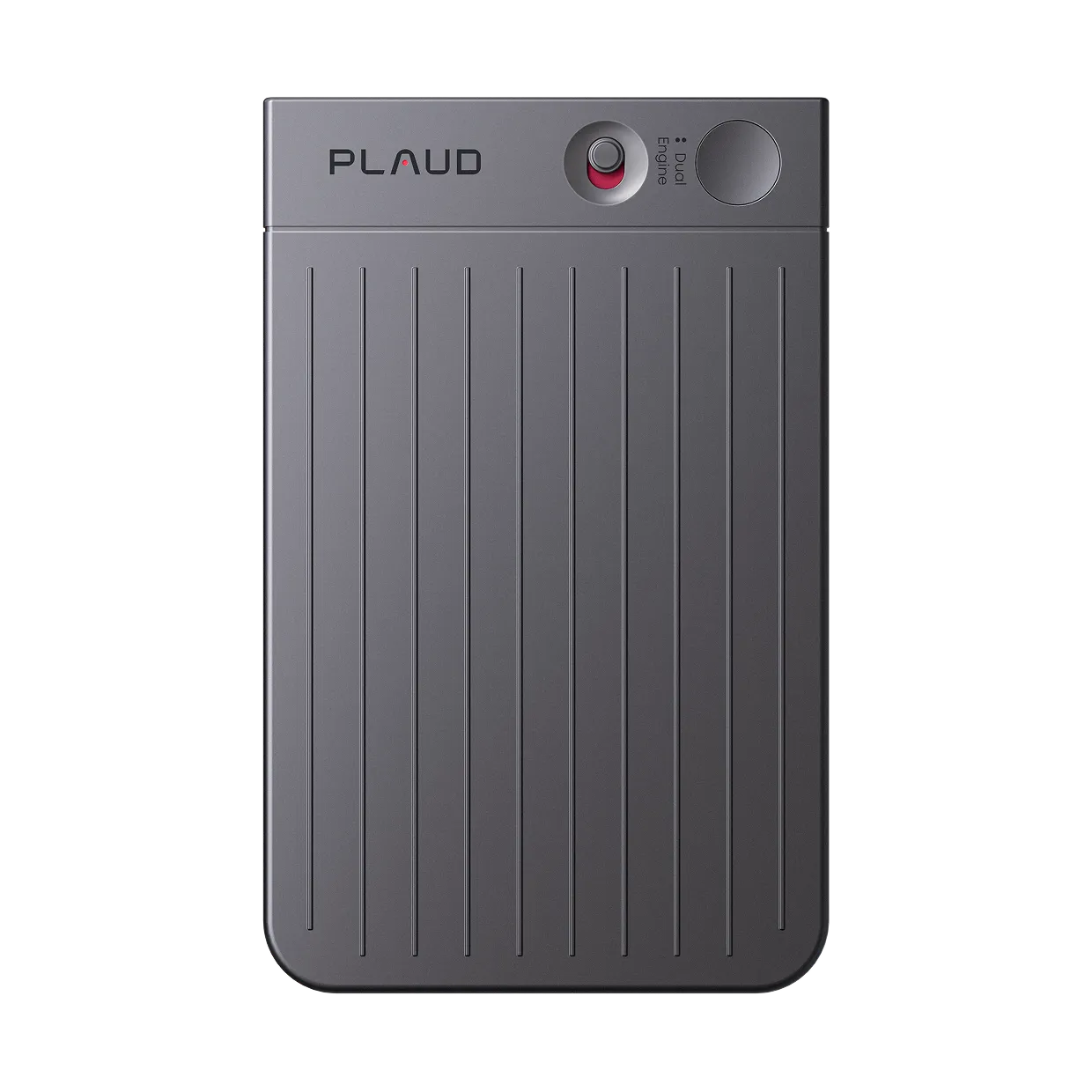
Place Plaud Note Pro beside your laptop. It captures audio from the laptop speaker through four MEMS mics with AI beamforming.
Based on common Zoom recording workflows and Plaud product data. Always inform all participants and follow local consent laws before recording any conversation.
Tips
Most Zoom recording methods either need a permission or put something visible in the meeting
Four things determine whether a Zoom recording method actually works for an attendee: permission dependency, participant visibility, transcript quality, and setup consistency.
The easier way
How Plaud Note Pro records Zoom meetings without joining the call
Plaud Note Pro sits beside your laptop and picks up audio from the speaker through four MEMS mics with AI beamforming. It does not connect to Zoom, appear in the participant list, or require host permission.
- Invisible recordingCaptures audio from your laptop speaker without joining the call or appearing in the participant list.
- No host permission neededRecords independently, so you never need to ask permission to capture a meeting you attend.
- Automatic transcriptionTranscribes in 112 languages and applies one of 10,000 meeting templates to generate structured notes.

Plaud Note Pro
A physical AI recorder that captures Zoom audio from your laptop speaker without joining the call.
Plaud Note Pro vs Plaud Note
Plaud Note Pro for Zoom attendees who need automatic transcription and structured AI meeting notes without a bot or host permission. Plaud Note for users who want reliable transcription and prefer to format notes themselves.
Plaud Note Pro
A physical AI recorder that captures Zoom audio from your laptop speaker without joining the call.
- 4 MEMS mics
- AI beamforming
- Plaud Intelligence transcription
- 10,000+ templates
- Up to 30 hours

Plaud Note
Better for simpler setups where structured AI notes are not needed and the goal is accurate transcription only.
- High-accuracy mic array
- Transcription via Plaud App
- Auto-sync on open
- No mandatory subscription
Frequently asked questions
Does Zoom AI Companion record meetings?
Yes. Zoom AI Companion can record and summarize meetings on eligible paid plans. It sends a notification to all participants when it is active.
Can I record a Zoom meeting if I am not the host?
Not through Zoom's built-in controls. Local and cloud recording in Zoom are restricted to hosts and co-hosts. A physical recorder placed beside your laptop captures audio without requiring any Zoom permission.
Do I need to tell people I am recording?
Yes. Recording a conversation without the knowledge and consent of all participants may violate local laws and Zoom's terms of service.
Which AI tool is used to record and transcribe meetings?
AI note-taking bots join as visible participants. Plaud Note Pro is a physical recorder that captures audio without joining the call, then uses Plaud Intelligence to transcribe in 112 languages.
What is the best way to record Zoom audio without a bot joining?
A physical recorder placed beside your laptop is the most direct option. It picks up audio from the laptop speaker without connecting to Zoom or requiring host permission.
Related articles
Related articles
Explore more guides on recording and transcribing meetings.

How to record a Zoom meeting
The complete guide to recording a Zoom call. Compare built-in options and external methods.
Read more
How to transcribe meetings with speaker labels
A transcript without speaker labels is hard to act on. Here is how to get attribution built in from the recording.
Read more
How to write meeting minutes faster with AI
Meeting minutes take time. Here is how to generate a draft from a recording without manual reformatting.
Read more
Transcribe audio to text for meetings
The transcript is only the start. Here is how to turn meeting audio into a complete usable record.
Read more