Meeting transcription · Speaker labels guide
How to transcribe meetings with speaker labels
A meeting transcript without speaker labels tells you what was said but not who said it. Without speaker attribution, decisions cannot be assigned and action items have no clear owner. Speaker label accuracy depends almost entirely on the quality of audio the transcription model receives. The better the separation at the microphone, the cleaner the labels in the transcript.
 Best for speaker attribution
Quick answer
4 steps to transcripts where every speaker is identified
Clean audio at the source is the single biggest factor in speaker label accuracy.
1. Record with dedicated hardware. Multi-mic separation improves labels.
A recorder with multiple microphones separates voices at the source before the transcription model processes the audio. This is the step most approaches skip.
2. Upload to a transcription tool with speaker diarization enabled
Diarization identifies individual voices and assigns them to labeled segments: "Speaker 1," "Speaker 2," or named participants if voice profiles are saved.
3. Review and rename generic speaker labels to actual names
After the first transcription, map "Speaker 1" to the participant name. Many tools save this mapping for future sessions with the same people.
4. Export the labeled transcript for notes, action items, or archival
A speaker-labeled transcript is directly usable for accountability review, legal documentation, or action-item extraction with owner attribution.
Methods
Which method produces accurate speaker labels
Compared on how much setup the method requires, which meeting formats are covered, speaker label accuracy, and whether transcription is included.
Zoom cloud recording
Zoom's built-in transcript requires named participant accounts for labels. The free tier has no diarization. In-person meetings are not covered.
AI meeting bots (Otter, Fireflies)
Bot joins the call and labels speakers, works well for regular online meetings. Requires an invite each session. In-person and phone calls are not covered.
Whisper + pyannote.audio (local)
Open-source pipeline for privacy-sensitive use cases. Strong accuracy when configured well. Requires technical setup, not practical for non-technical users.
Physical AI recorder (Plaud Note Pro)
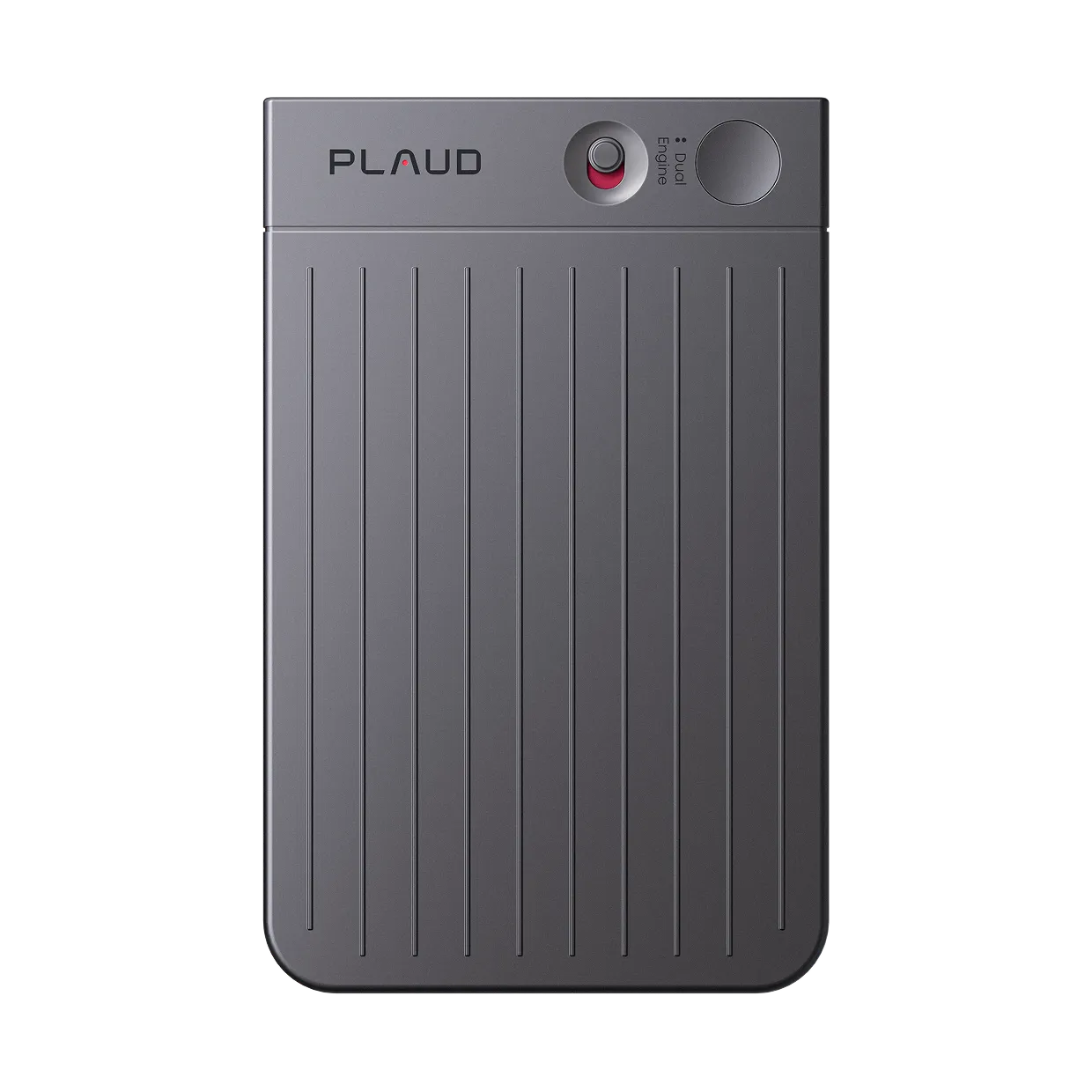
Records phone calls and in-person meetings. Four MEMS microphones with AI beamforming separate voices at the source. Plaud Intelligence produces labeled transcripts in 112 languages.
Based on common transcription scenarios and Plaud product data. Always follow your organization's recording policy and local consent rules before recording.
Tips
What determines speaker label accuracy
Diarization models assign labels by distinguishing voice characteristics in the audio signal. When speakers overlap, when the mic is far from the room, or when only one audio channel captures both sides of a phone call, the model has insufficient signal to assign labels correctly. Better audio at the source directly improves the labels in the output.
The easier way
Plaud Note Pro. Speaker labels that actually stick.
Plaud Note Pro is a physical AI note taker with 4 MEMS microphones and AI beamforming that separates voices at the source, before the transcript is generated. It covers both phone calls and in-person meetings with smart dual-mode auto-detection. Plaud Intelligence produces speaker-labeled transcripts in 112 languages with meeting summaries, decisions, and action items already attributed to the person who made each commitment.
- Multi-mic beamforming for clean separationWhen two voices arrive at a single microphone from the same direction, a diarization model cannot reliably separate them. Labels collapse or flip mid-conversation. Plaud Note Pro uses 4 MEMS microphones with AI beamforming to capture distinct voice streams from up to 5 meters.
- Smart dual-mode for every meeting formatMost transcription bots join a video call but cannot record the phone call before it or the in-person room afterward, so speaker labels exist for one format and not the other.
- Actionable labels mapped to real namesA transcript that says "Speaker 1: we will push the deadline" is not actionable. You need to know whose commitment that is.

Plaud Note Pro
The world's most advanced physical AI note taker. Four-mic beamforming for clean speaker separation, in every meeting format.
Pick the Plaud for your meeting setup
Note Pro for conference rooms, phone calls, and multi-speaker sessions where speaker labels matter. NotePin S for wearable in-person-only capture where a single speaker is the focus.
Plaud Note Pro
The world's most advanced physical AI note taker for phone calls and in-person meetings.
- 4 MEMS mics, 5 m pickup
- Smart dual-mode (calls + in-person)
- Speaker-labeled transcripts
- Up to 30 hours recording

Plaud NotePin S
Best for wearable, hands-free capture in face-to-face settings, not for phone or video calls.
- 17.4 g wearable design
- Up to 20 hours recording
- Lanyard, wristband, clip, magnetic pin included
Frequently asked questions
Which AI tool is used to record and transcribe meetings?
For online meetings, Otter.ai, Fireflies, and tl;dv are widely used bots that join the call and produce labeled transcripts. For in-person meetings or phone calls, a physical recorder with built-in AI transcription covers meeting types that bots cannot access.
Which AI can transcribe meetings?
Most major services support meeting transcription: Otter.ai, Fireflies, Fathom (Zoom), Google Meet AI, Microsoft Teams Copilot. Speaker label accuracy is highest when each participant has a distinct audio channel or the recording device uses multi-mic separation at the source.
What is the best way to transcribe meetings?
The best setup starts with good audio. A dedicated recorder with multiple microphones placed close to the speakers produces cleaner input than a single phone or laptop mic, and cleaner input directly improves speaker label accuracy. After recording, transcription tools with speaker diarization convert the audio to a labeled, searchable transcript in minutes.
Can I get speaker labels from a recording made on a phone?
Yes, most transcription tools with diarization support audio file uploads. The accuracy depends on the source audio. Phone recordings mix all voices into a single compressed channel, which gives the diarization model less signal to work with. A dedicated recorder with multiple microphones produces cleaner voice separation at the source, which directly improves label accuracy when the file is uploaded.