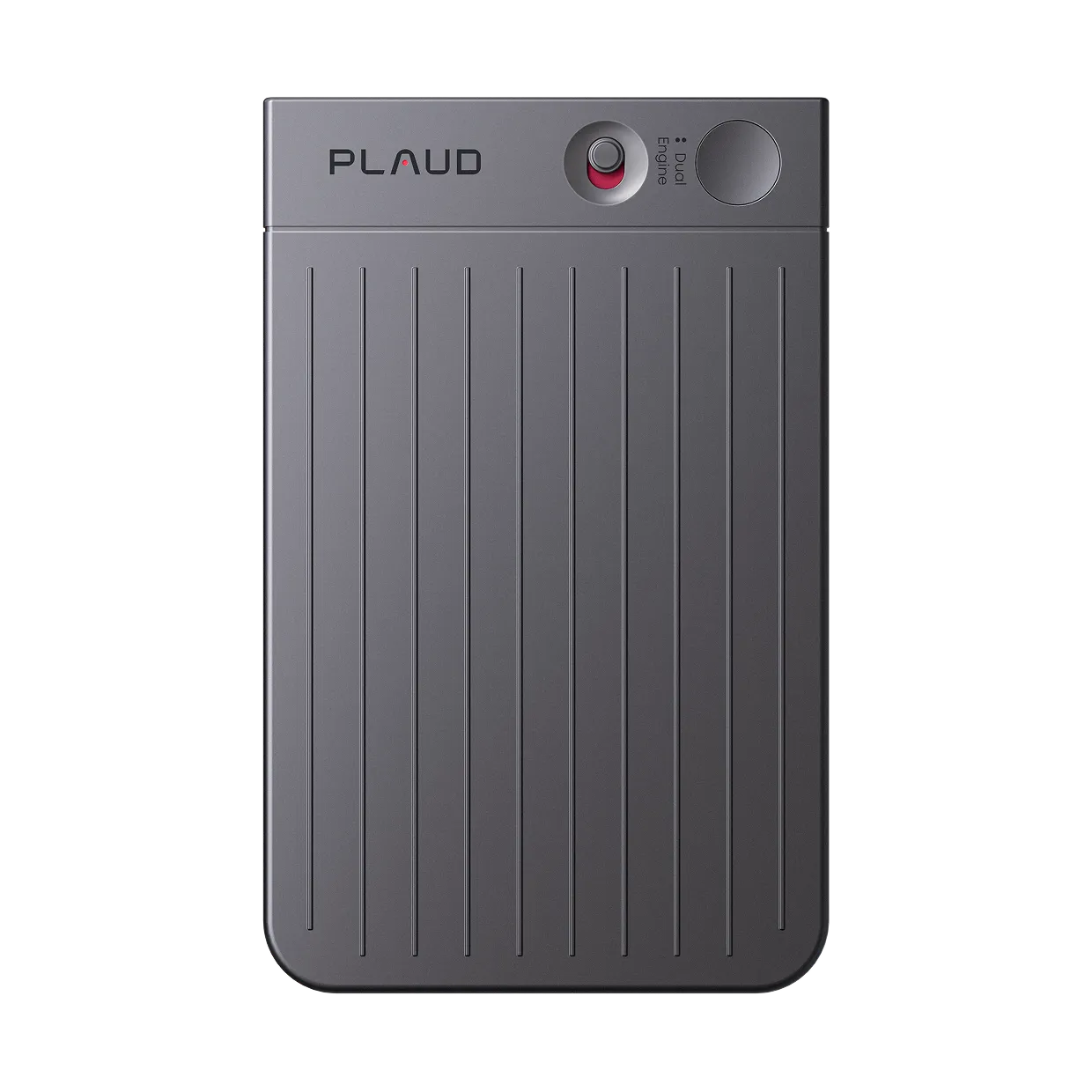
Recorder for lectures
Records the lecture. Returns a searchable transcript and study notes.
Plaud Note Pro is the recorder for lectures that captures full class audio and delivers a transcript and AI study summary. Read the summary in 5 minutes. Search any term. No replaying required.
Trusted by 2M+ users globally since 2023

What a recorder for lectures does differently
Every lecture captured. Transcript and study notes ready when class ends.
Plaud Note Pro is the recorder for lectures that turns class audio into searchable transcripts and AI study summaries without replaying a single minute. Apps like Otter.ai and phone voice memos capture audio, but they stop there. Replaying a 90-minute lecture takes 90 minutes and still leaves you writing notes by hand. Plaud Note Pro sits on the desk, captures everything, and delivers structured study material in under 60 seconds.
3 study artifacts, ready when class ends
Full lecture transcript
Every word captured and attributed to the right speaker. Searchable, timestamped, and ready to export for review or reference.
AI study summary
Key arguments, definitions, and concepts extracted automatically from the lecture audio. No replaying required.
Study-ready notes
Apply a template to structure the summary as Cornell notes, outline format, or a Q&A sheet for exam prep.
Works wherever lectures happen
Plaud Note Pro sits flat on the desk at 2.99mm thin. No phone screen needs to stay active during class.
Workflow fit
Is Plaud Note Pro the recorder for lectures that fits your study workflow?
Most lecture recorders capture audio only. Replaying the audio takes as long as the lecture itself. Plaud Note Pro captures the lecture and delivers a transcript and AI summary you can study from immediately. Check whether that fits your workflow.
Built for your role
Built for students who need a reliable written record of every lecture
Pick the role closest to yours.
Law students and graduate students
Pain
Three-hour seminar sessions cover dense arguments and case details. Typing notes during the lecture means missing parts of the argument. Reviewing audio afterward takes the full three hours again.
How Plaud helps
Plaud Note Pro sits on the desk, records everything, and delivers a structured summary for study afterward. Search specific terms without scrubbing through the recording.
Best output
Structured summaryPrivacy-conscious students
Pain
Uploading lecture audio to a cloud transcription service raises questions about who stores the audio, for how long, and under what terms. Some institutions have data policies that restrict which services students can use.
How Plaud helps
Plaud Note Pro stores audio on-device (64GB internal). Audio only leaves the device when you choose to process it. No background uploads during or after class.
Best output
On-device audioStudents with note-taking difficulties
Pain
A language barrier, learning difference, or fast-speaking professor means hand-typed notes are always an approximation. Dense material gets filtered through what the student could type, not what was actually said.
How Plaud helps
Plaud Note Pro captures a verbatim record of everything said. The full transcript is available for review after class, with AI summary to highlight the key content.
Best output
Full transcriptHow it works as your recorder for lectures
How Plaud Note Pro captures your lectures
Privacy & trust
Record lectures safely and responsibly
Check with your professor first
Always confirm that recording is permitted before you start. Many professors allow recording for personal study use. Some have specific policies. Ask before the first session and note any conditions.
Privacy by design
Recordings stay on-device until you choose to process them. No background uploads and no audio sent to third-party servers during class.
Encrypted storage
AES-256 encryption in transit and at rest. Your lecture audio is never used to train AI models.
Consent prompt built in
Plaud's built-in disclosure beep plays at the start of each recording to cover the notification step automatically. Toggle once in the Plaud App.
Why students switch
Why students searching for a recorder for lectures choose Plaud Note Pro vs Plaud NotePin S
Based on student community posts and buyer reviews about lecture recording, these are the three setups students came from and the specific reasons they switched.
Switched from
Phone voice memos
Most common starting point for lecture recording
"My professor allows us to record all classes. I want to hook it up to a computer, have the notes broken down. The built-in recorder just gives me an audio file."
Why they left
- Audio only. Replaying a 90-minute lecture takes 90 minutes.
- No transcript, no searchable text, no AI summary for study
- Phone must stay active and visible during class
What Plaud does instead
- Full timestamped transcript and AI study summary from the lecture audio
- Dedicated device sits flat on the desk. Phone stays free during class.
- Search any term to find the exact moment it was covered. No scrubbing required.
Switched from
Otter.ai on a phone
Common AI transcription app for online classes
"Otter.ai works well for Zoom lectures. The moment I walked into the physical classroom, it stopped working reliably."
Why they left
- Designed for video call platforms. Works inconsistently in physical lecture rooms with ambient noise.
- Requires keeping a phone screen active during class
- Per-seat subscription cost compounds across a multi-year degree
What Plaud does instead
- 4 MEMS microphones capture clear audio from up to 5 meters in any room
- Dedicated device. No phone screen needed during class.
- One-time hardware purchase. No per-seat recurring fee.
Switched from
Typed notes in class
Default approach for most students
"I spend the whole lecture deciding what to type. Dense material gets compressed as I write. I miss the next point while I'm finishing the last one."
Why they left
- Attention split between the professor and the keyboard. Dense content gets filtered down.
- No verbatim record. Important phrasing and nuance is lost at the point of note-taking.
- Reviewing notes still requires reconstructing what was said from incomplete fragments
What Plaud does instead
- Verbatim transcript captures everything said. Nothing is lost at the point of recording.
- Stay fully focused on the professor during class. Review the structured summary afterward.
- AI study summary extracts the key arguments so you study from organized content, not fragments
Stop replaying lectures. Start studying from the transcript.
Get Plaud Note Pro built for lecture capture and study.
Customer stories
What Plaud users say about capturing and studying from recordings

“I paid $300 a year, and I make probably an extra couple thousand dollars a month in things I would have forgotten.”
Read story →
“It allows us to focus, speed up follow-up, close deals faster, and keep everybody aligned.”
Read story →
“This is my administrative assistant. This is what takes my notes, gives me my to-do list, tasks, and management.”
Read story →Real Plaud customers. Full stories at plaud.ai/blogs/user-story.
Recommended devices
Choose the right recorder for lectures
Pick the form factor that fits how you attend class.
If you...
Record lectures in a physical classroom and need a transcript to study from
If you...
Move between outdoor classes, labs, and field sessions and need hands-free recording
If you...
Mainly record online classes and want a compact portable device

physical AI recorder for lectures
Plaud Note Pro
Best for in-person lecture capture and study
- 50hr battery covers a full week of classes without charging
- 4 MEMS microphones, picks up voices up to 5 meters
- Full transcript and AI study summary after every lecture

wearable AI recorder for lectures
Plaud NotePin S
Best for hands-free recording across outdoor and field classes
- 17.4 g wearable design, worn as lanyard, wristband, clip, or pin
- 20hr continuous recording
- Nothing on the desk. Records hands-free in any location.

AI voice recorder
Plaud Note
Best for online lectures and lightweight portable recording
- Pocket-sized, attaches to your phone
- 20hr battery
- One-tap recording, no app on call
30-day money-back
1-year warranty
Lifetime support
Frequently asked questions
What is the best voice recorder for lectures?
For students who need more than audio, Plaud Note Pro is the strongest option. It records the full lecture and delivers a searchable transcript and AI study summary. No replaying required. At $189 as a one-time purchase, it covers both the recording and the AI note-taking in one device.
Can I use an AI recorder in lectures?
Yes, in most cases. Many professors allow recording for personal study use. Always check with your professor before recording any lecture. Inform all participants and confirm consent before recording. Some institutions have specific policies about AI tools and data storage.
How do I get the most out of recording lectures?
Record the full session with Plaud Note Pro. After class, review the AI study summary first to get the key arguments. Then search the transcript for specific terms you want to follow up on. Apply a study template to structure the summary as Cornell notes or a topic outline. You study the structured output, not the raw audio.
Is it legal to record lectures?
Recording policies vary by institution and instructor. Always get permission from your professor before recording any lecture. Inform all participants and confirm consent before recording. Many professors allow recordings for personal study use but ask that they are not shared publicly. Check your institution's academic policy and your local laws.
Does Plaud Note Pro work in a physical classroom, not just on Zoom?
Yes. Plaud Note Pro is a physical device that sits on the desk. It uses 4 MEMS microphones to capture audio from up to 5 meters. It works in any room regardless of the platform the professor uses. No plugin, no app, and no active phone screen needed during class.
How much does Plaud Note Pro cost?
Plaud Note Pro is $189 as a one-time purchase. The Plaud Pro Plan ($99.99/year) unlocks unlimited AI minutes and advanced features. No mandatory subscription for basic use.
Does it work for online lectures on Zoom or Google Meet?
Yes. Plaud Note Pro uses Smart Dual-Mode to detect whether you are on a phone call or in an in-person session. It captures both. For online lectures, place it near your speakers or use it connected to your phone.
Can I export lecture notes to Notion or Google Docs?
Yes. The Plaud App exports transcripts and AI summaries to Notion, Google Docs, and other connected apps in one tap. Notes are structured and ready to organize into your study system.
Related articles

How to Record and Take Notes in Lectures
Learn how to record lectures and turn them into study notes with a wearable AI recorder. Capture clear audio hands-free and get structured notes after every class.
Read more →
AI note-takers vs. students: Are AI notes actually useful for studying?
We tested Plaud on free U.S. YouTube lectures using student-made templates to see when AI notes become real study material worth using.
Read more →
How to build a study system from lecture recordings
Turn lecture recordings into searchable study notes with a repeatable system using AI transcription and scheduled review.
Read more →
Best AI tools for studying: Save your midterm exams
Stop watching lecture replays. Use these AI note-takers to instantly organize messy notes, find answers, and cut study time before exams.
Read more →Before you record: let everyone in the conversation know and get their consent. Recording laws vary by region. Many institutions require instructor permission before recording any lecture. Check your local laws, your institution's academic policy, and your professor's specific guidelines. Plaud's built-in disclosure beep plays at the start of each recording to help cover the notification step automatically.